
AI Automation
Design. Trigger. Run.
Build automated workflows that connect triggers, data, and human approvals directly inside your ERP — from a scheduled report to a multi-step document-to-order process with review built in. AI Automation gives technical teams a visual workflow engine to design, publish, and monitor automation without a custom integration project.
Talk to Us About Automation.png?width=1920&height=1080&name=agilityintel%20hero%20product%20images%20(1920%20x%201080%20px).png)
Why It Matters
Automate Complex, Multi-Step Processes
Connect triggers, actions, logic, and human approvals into a single automated process instead of stitching together scripts and manual handoffs.
Keep a Person in the Loop Where It Matters
Pause the process for an approval or a form, then resume automatically once a person responds.
See Exactly What's Running
Monitor every run, replay history, and track engine health from one place instead of guessing why something didn't fire.
How It Works
Design the Workflow
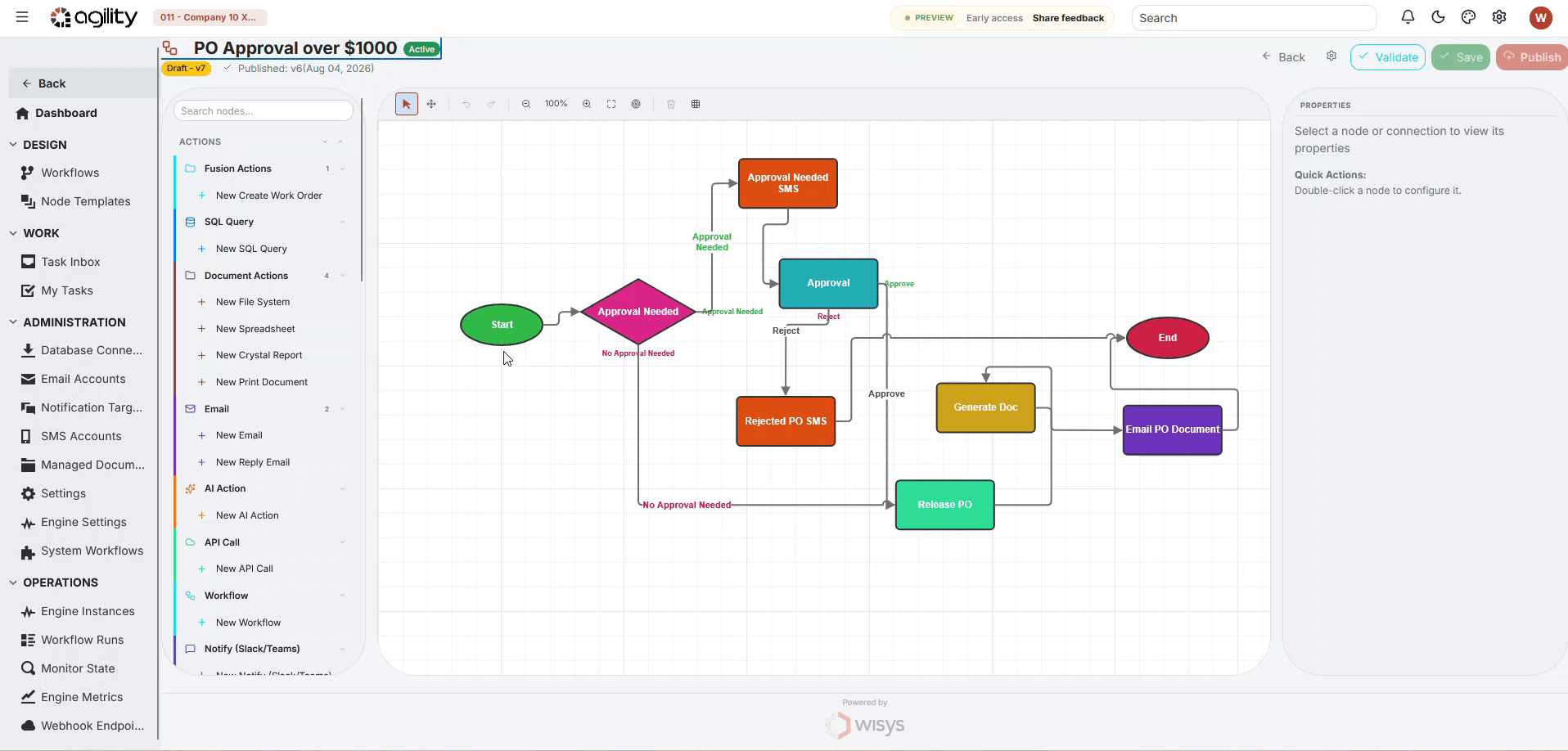
Build a workflow visually on the canvas: drop triggers and nodes, connect them, and configure each step.
 ✥
✥
Set the Trigger
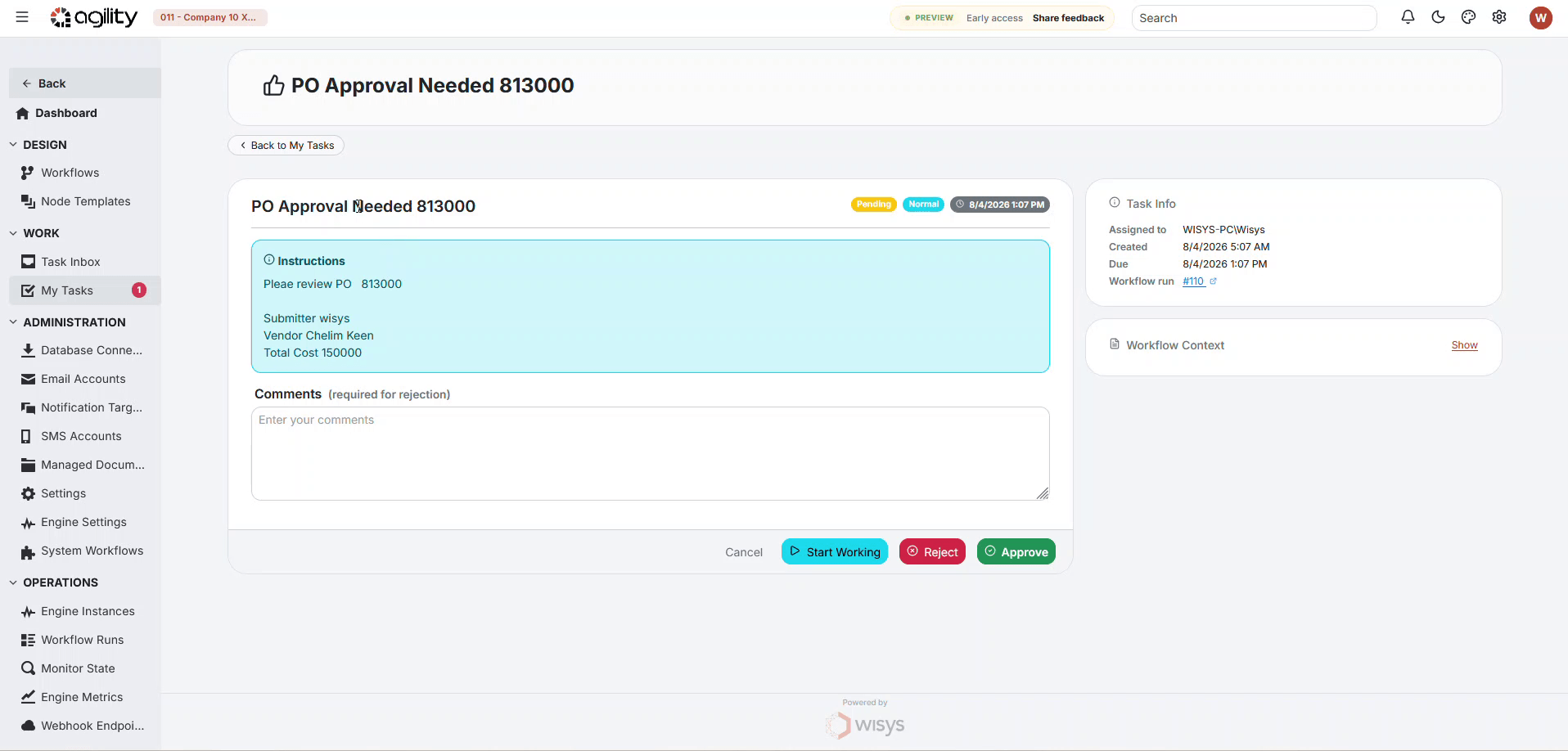
Start runs from a schedule, an inbound file or email, a database change, a webhook, or a manual run.
 ✥
✥
Execute and Monitor
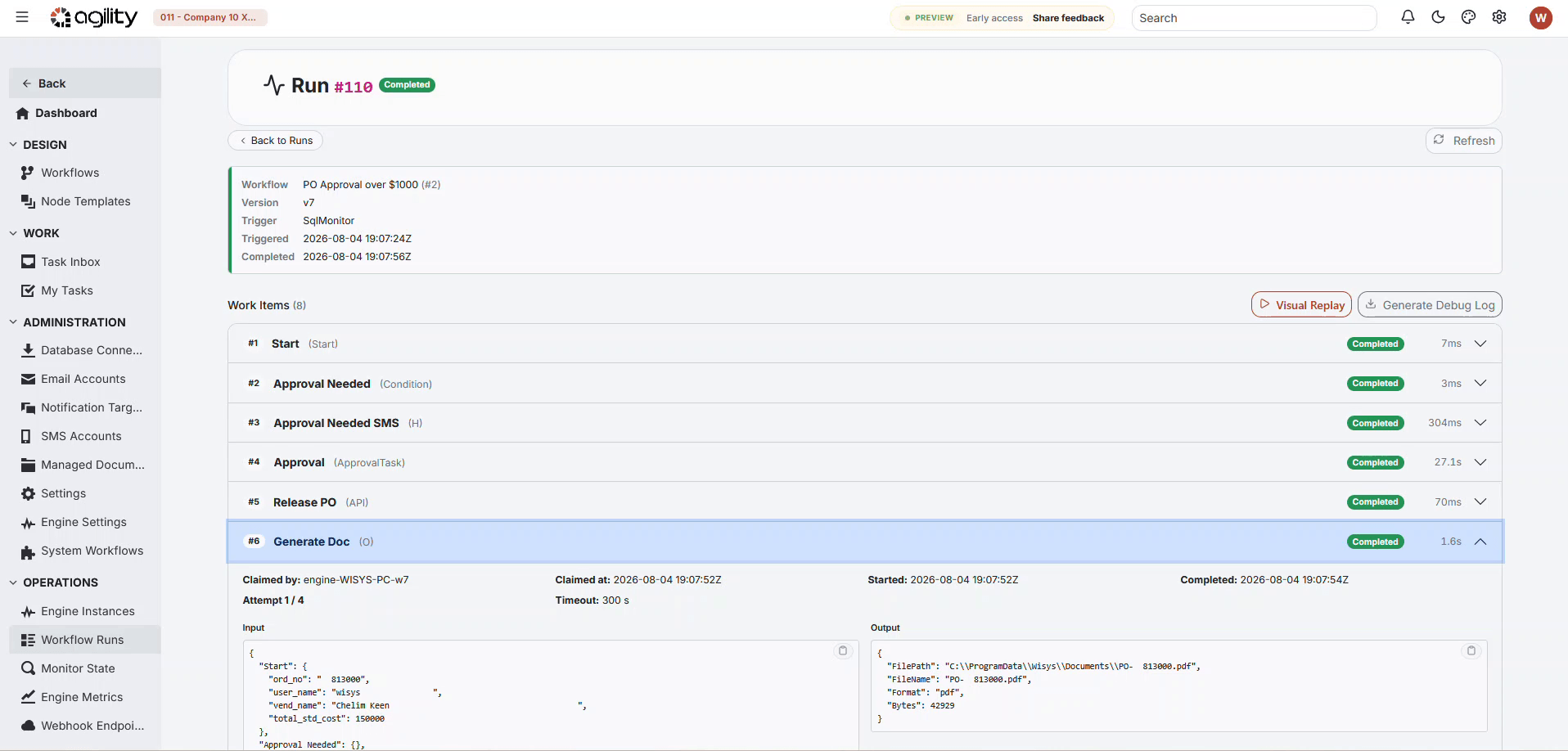
The engine runs each published workflow version, passing data along the graph, while Runs, Tasks, and Monitors show you exactly what happened.
 ✥
✥
Key Capabilities
Visual Workflow Designer
Build and publish workflows as versioned graphs — Draft, Published, or Archived — without disturbing runs already in flight.
Flexible Triggers
Start workflows from a schedule, inbound email, file system event, database change (SQL Monitor), webhook, or manual run.
Human-in-the-Loop Tasks
Pause a workflow for an approval or a form, then resume automatically once a person completes it.
Built-In Error Handling and Monitoring
Track every run, replay history, and monitor engine health and webhook activity from one place.
See AI Automation in Action
Watch how a workflow moves from design to execution — configuring a trigger, connecting nodes, adding a human approval step, and publishing a live, monitored workflow.
- Design workflows visually with triggers, actions, logic, and human tasks
- Roll out updated versions without disrupting runs already in progress
- Trigger runs from schedules, files, email, webhooks, or database changes
- Monitor every run, replay history, and track engine health in one place
What It Looks Like in Practice
Something happens, the steps run, and a person steps in only when needed.
Running Macola? See the use cases

Invoice Reminders That Write Themselves
Past-due reminders go out on their own, each written by AI with the invoice attached.
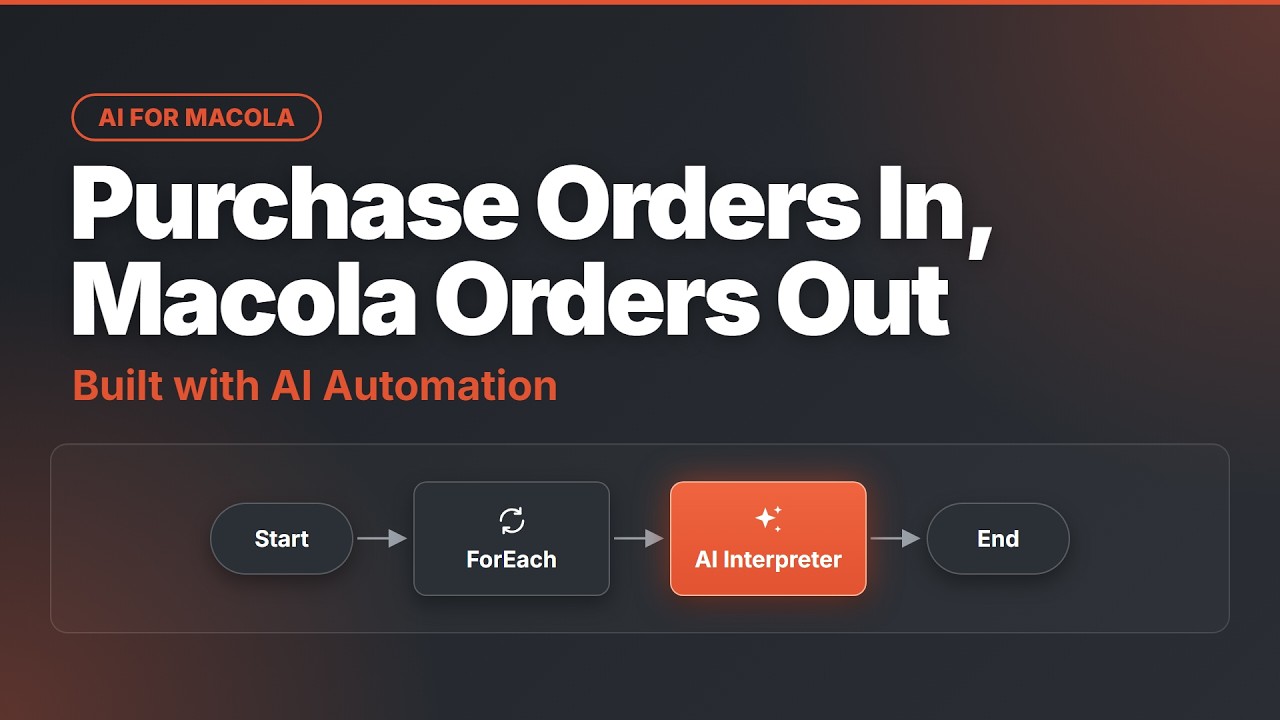
Purchase Orders In, Orders Out
A PO email becomes a sales order in your ERP. Anything unclear gets flagged.
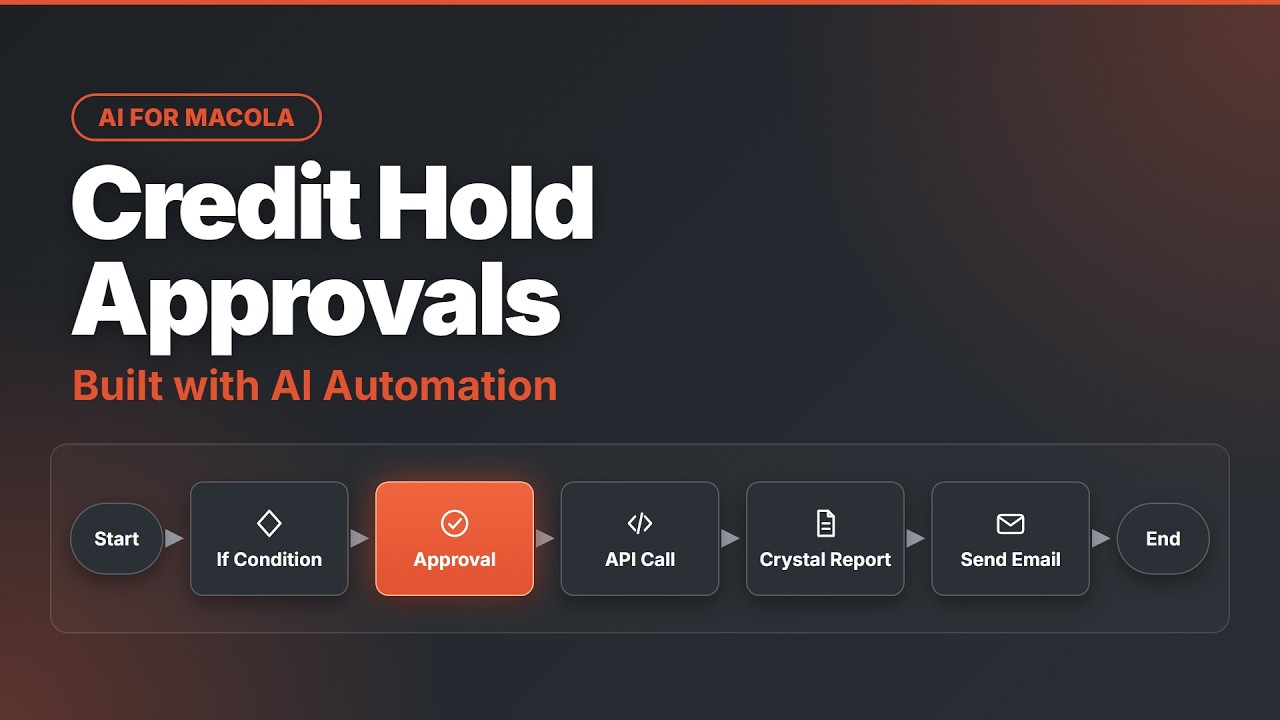
Credit Holds That Don't Stall
The order waits for a yes, then the hold is released and the acknowledgement goes out.
Built for Technical and Operations Teams
IT and operations teams design and operate the workflows that connect ERP data, documents, and approvals — without a custom integration project. If your team is already using AI Agent, AI Interpreter, AI Packing, or AI Fusion Production Scheduler, Automation is how you stitch them into larger, end-to-end processes.
Frequently Asked Questions
What is AI Automation?
AI Automation is a visual workflow engine built into Agility Intelligence that lets technical teams design, publish, and run automated processes connecting your ERP, documents, email, and approvals. Instead of writing custom integration code or stitching together separate scripts, you build a workflow on a visual canvas: a trigger starts it, a series of connected steps carries data forward, and the engine executes it in the background. Workflows can be as simple as a scheduled report email or as involved as a multi-step process that reads an inbound document, checks it against ERP data, pauses for a person to approve an exception, and then posts a finished transaction. Every workflow is versioned, so you can safely edit a draft while previously published versions keep running unaffected. It's designed for teams who need more flexibility than a fixed feature can offer, without needing a full custom-development project to get there.
Is Automation included with Agility Intelligence, or is it a separate cost?
Automation is licensed separately from Agility Intelligence's core AI products — AI Agent, AI Interpreter, AI Packing, and AI Fusion Production Scheduler. It's a complete workflow engine in its own right, with its own designer, execution engine, and administration tools, which is why it's priced and packaged as its own product rather than bundled in by default. If you're already using one or more of the core AI products and want to layer custom, multi-step automation on top of them — or automate processes that don't involve AI at all, like a scheduled report or a file-watching intake process — Automation is the right add-on to ask about. Pricing and packaging depend on your environment and how many workflows or engine instances you need, so the most accurate answer comes from a conversation with the team rather than a fixed number here. Reach out to discuss what Automation would look like, and cost, for your specific operation.
Who builds and manages Automation workflows — do we need a developer?
Automation is built for technical users — the people who already think in terms of data flows, triggers, and conditional logic, even if they're not professional software developers. Common users include IT staff, operations analysts, or power users on your team who understand your ERP data and business processes well enough to map them onto a visual workflow. You don't need to write code to build a workflow: you drop triggers and nodes onto a canvas, connect them, and configure each step through forms rather than scripting. That said, some workflows — especially ones involving SQL Monitors, webhooks, or more advanced logic — benefit from someone comfortable with technical concepts like databases and APIs. Many customers start with a technical staff member building and maintaining workflows, sometimes with initial guidance from the Agility Intelligence team, and expand from there once the pattern is familiar.
What can trigger a workflow?
Workflows can start from several different triggers depending on what you're automating. A manual trigger lets someone start a run on demand. A scheduled trigger runs a workflow at set times, like a daily report. A SQL Monitor trigger watches for a specific change in your database and starts a workflow when it happens. An email-received trigger starts a workflow when a message arrives in a monitored inbox — useful for turning incoming documents into action. An API or webhook trigger lets an external system start a workflow programmatically. And a file-system trigger starts a workflow when a file appears in a watched folder, which is common for document-intake processes. Most real workflows are built around one of these triggers and then branch into multiple steps from there, so choosing the right trigger is usually the first design decision for any new workflow.
Does a workflow require a person, or can it run fully unattended?
Both are possible, and many workflows use a mix of the two. A fully unattended workflow runs from trigger to completion without anyone needing to step in — useful for things like scheduled reports or straightforward data syncs where no judgment call is needed. But Automation also supports human-in-the-loop steps: a workflow can pause at a specific point and wait for a person to complete an approval or fill out a form, then automatically resume once that happens. This is especially useful for processes where most of the work can be automated but a specific decision, like approving an exception or reviewing a flagged record, still needs a person's judgment. Because that pause-and-resume behavior is built into the workflow engine itself, you don't need a separate system to track who needs to act next — it shows up as a task waiting in that person's queue until they complete it.
Does Automation work with SAP Business One and Macola?
Yes. Automation is built as part of Agility Intelligence, so it connects to the same SAP Business One and Macola environments as the rest of the product. Workflows can read from and write to your ERP through database connections and API calls, which means you can build automation that creates orders, updates records, or reacts to ERP data changes without introducing a separate system of record. Because the designer and the underlying engine communicate only through the database — the workflow definition and run records live there, and the engine reads and executes from it — the same data you see in the ERP is what the engine is acting on. This also means Automation can work alongside the other Agility Intelligence products, like triggering an AI Interpreter step inside a larger workflow, rather than operating as a disconnected tool bolted onto the side of your ERP.
Connect Your ERP, Documents, and Approvals in One Workflow
Talk to us about what it would look like — and cost — for your operation.